Type special characters in xterm in N900
UPDATE: The build failed because of gcc's multislot USE flag(seed stage has it while catalyst can't set USE for stage3). I was on a trip so there is actually no progress for the last 5 days. Sorry. I have worked around it. Now rebuilding.
First, sudo gainroot.
Then run the following two commands:
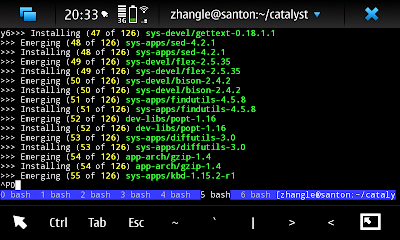
This picture shows that I am building new stage3 for Loongson 2F, N32 ABI, ;)
First, sudo gainroot.
Then run the following two commands:
/home/user # gconftool-2 -s /apps/osso/xterm/key_labels -t list --list-type=string '[Tab,Esc,~,`,|,>,<]'Then restart your xterm, you will see the bottom bar looks like the one showing in the following picture:
/home/user # gconftool-2 -s /apps/osso/xterm/keys -t list --list-type=string "[Tab,Escape,asciitilde,grave,bar,greater,less]"

This picture shows that I am building new stage3 for Loongson 2F, N32 ABI, ;)
Comments
Anyway, thank you for the tip (and for the new N32 gentoo - when will it be available BTW ?). I noticed I prefer adding more chars in this bar (like = for instance) even if the pulldown menu is a bit ugly its still much easier than to press the Sym key)
Now, for myoptical humans like me, a next step can be embarked in the "How-to: Customizing and theming maemo". To give the GUI surrounding of the shell less space by reducing the font sizes and the bar sizes and maybe more:
http://maemo.org/development/documentation/manuals/3-x/howto_customization_bora/